
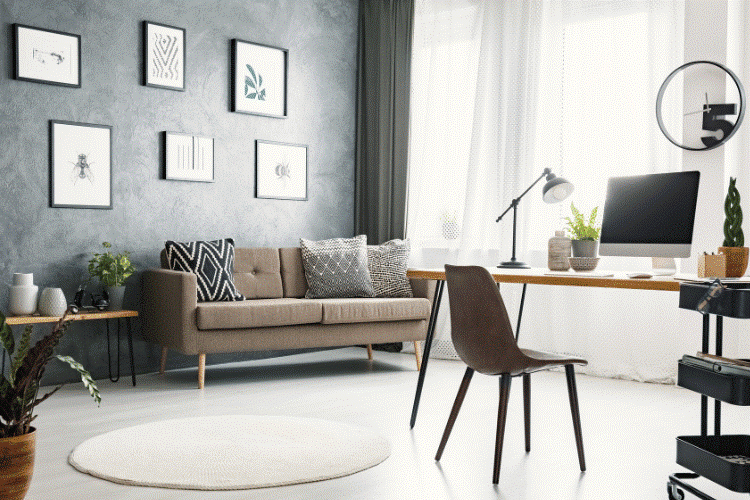
A productive workday rarely comes down to motivation alone. The environment around you plays a major role in how well you focus, manage tasks, and maintain energy throughout the day. Whether you work from home full-time or simply need a better space for side projects, your setup matters more than most people realize.
The most effective office spaces are designed with intention. They support concentration, reduce distractions, and make everyday tasks feel easier to manage. At the same time, they should feel comfortable enough to spend hours in without creating physical strain or mental fatigue. From furniture choices to lighting and organization, small adjustments can make a noticeable difference.
Here are some of the best office setup ideas to help create a workspace that supports productivity without sacrificing comfort or style.
Start With an Ergonomic Foundation
Before thinking about aesthetics or accessories, focus on comfort and functionality. Poor posture and uncomfortable seating can lead to headaches, fatigue, and reduced concentration over time.
A supportive office chair should encourage proper posture while allowing movement throughout the day. Adjustable armrests, lumbar support, and seat height are all worth considering. Pair this with a desk that gives enough room for your monitor, keyboard, and daily essentials without feeling cramped.
Monitor placement also matters. Ideally, the top of your screen should sit at eye level to reduce neck strain. If you use a laptop, a simple stand can improve positioning significantly. Other ergonomic additions that can improve daily comfort include:
- A separate keyboard and mouse
- Wrist supports
- A footrest for smaller desks
- Anti-fatigue mats for standing desks
- Cable management solutions to reduce clutter
The goal is to create a setup that feels natural to use for long periods instead of one that forces awkward positioning.
Use Lighting to Support Focus and Energy
Lighting has a direct impact on concentration and mood. Dark workspaces often feel draining, while harsh overhead lighting can create eye strain and headaches.
Natural light is usually the best option when available. Positioning your desk near a window can help maintain energy levels during the day while reducing dependence on artificial lighting. However, glare on screens can become distracting, so desk placement may require some experimentation.
Task lighting is equally important, especially for evening work sessions. Adjustable desk lamps with warm white light often create a more comfortable atmosphere than bright fluorescent bulbs.
Layered lighting tends to work best in productivity-focused spaces. This means combining several light sources rather than relying on one overhead fixture alone.
Some practical lighting ideas include:
- Soft ambient lighting behind monitors
- Desk lamps with adjustable brightness
- Warm-toned bulbs for reduced eye fatigue
- LED strip lighting for subtle background illumination
A workspace that feels visually balanced can help maintain concentration for longer stretches of time.
Keep the Workspace Organized but Personal
A cluttered workspace can quietly increase stress levels and make it harder to stay focused. At the same time, a completely sterile environment often feels uninspiring. The best office setups strike a balance between organization and personality.
Simple storage solutions can keep supplies accessible without taking over the desk surface. Floating shelves, drawer organizers, and compact filing systems all help reduce visual distractions.
Adding a few personal touches can also make the workspace feel more inviting. Artwork, framed photos, and decorative accents help break up the repetitive feel of a purely functional office.
Plants are another popular addition because they soften the overall look of the space while introducing a more natural atmosphere. Decorative containers can also help tie the room together visually.
Many professionals use stylish indoor planters from Jamali Garden to incorporate greenery into modern office setups without making the space feel cluttered or overly decorative. The key is moderation. A few carefully chosen details tend to work better than overcrowding the workspace with accessories.
Design Separate Zones for Different Tasks
Many people try to handle every task from one exact spot, but separating activities can improve mental focus throughout the day. For example, your primary desk area might be reserved for concentrated work such as writing, meetings, or technical tasks. Meanwhile, a nearby chair or small side table can serve as a secondary area for brainstorming, reading, or planning sessions.
This approach becomes especially useful in home offices where personal and professional boundaries often blur together. Even in smaller spaces, subtle distinctions can help create structure. You might separate zones through:
- Different lighting styles
- Rugs or room dividers
- Wall-mounted shelving
- Seating changes
- Portable laptop stands
These visual and physical distinctions help signal different types of work to your brain, which can improve concentration over time.
Reduce Digital and Physical Distractions
A productive office setup is not only about what you add. It is also about what you remove. Notifications, tangled cords, excessive tabs, and unnecessary desk items all compete for attention throughout the day. Creating a calmer environment often starts with simplifying your surroundings.
Cable management is one of the easiest improvements. Hidden cables instantly make a workspace feel cleaner and easier to navigate. Wireless accessories can also reduce visual clutter.
On the digital side, consider creating systems that support focused work periods. This might include:
- Turning off non-essential notifications
- Using browser tab organizers
- Keeping only active projects visible
- Creating dedicated charging stations
- Using noise-canceling headphones during deep work sessions
Even small reductions in distraction can improve productivity noticeably over time.
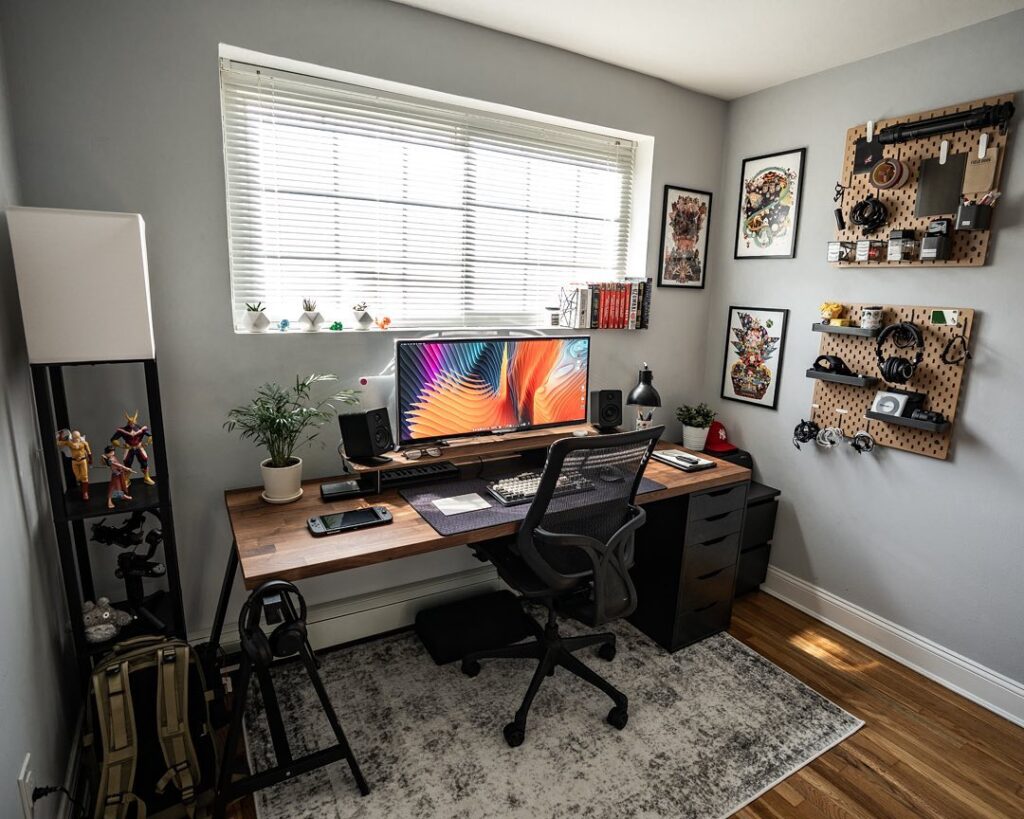
Add Elements That Support Long-Term Comfort
Many office setups look appealing in photos but fail during real-world daily use. Long-term comfort should always remain part of the design process.
Temperature control is one factor people often overlook. If your workspace feels too hot or cold, your concentration suffers quickly. A small fan, space heater, or breathable chair material can make a meaningful difference.
Acoustics also matter. Hard surfaces tend to create echo and background noise, especially during calls. Rugs, curtains, fabric chairs, and wall décor can soften sound and create a quieter environment.
It also helps to build movement into the workspace itself. Sitting still for hours at a time rarely supports consistent energy levels. Adjustable desks, walking pads, or simply leaving enough room to stretch can encourage healthier work habits throughout the day. Small environmental improvements often have a larger impact than expensive gadgets or trendy desk accessories.
Final Thoughts
An effective office setup does more than look organized. It supports the way you think, work, and manage your energy throughout the day.
The most productive workspaces usually combine comfort, functionality, and a small amount of personal style. Ergonomic furniture, thoughtful lighting, organized storage, and fewer distractions all contribute to a space that feels easier to work in consistently.
Rather than trying to create a perfect office overnight, focus on gradual improvements that solve real frustrations in your daily routine. Over time, even small adjustments can lead to a workspace that feels more focused, comfortable, and sustainable for the long term.
Check Out Our Related DIY Blogs
- 10 Weekend DIY Projects to Make Your Home Feel Warmer in Winter
- Best Custom DTF Transfers for T-Shirt Printing: Tested for Color, Durability, and Speed
- Car Camping Alone: What You Need to Know Before You Go
- Like
- Digg
- Del
- Tumblr
- VKontakte
- Buffer
- Love
- Odnoklassniki
- Meneame
- Blogger
- Amazon
- Yahoo Mail
- Gmail
- AOL
- Newsvine
- HackerNews
- Evernote
- MySpace
- Mail.ru
- Viadeo
- Line
- Comments
- Yummly
- Send in Text
- Viber
- Telegram
- Subscribe
- Skype
- Messenger
- Kakao
- LiveJournal
- Yammer
- Edgar
- Fintel
- Mix
- Instapaper
- Copy Link