
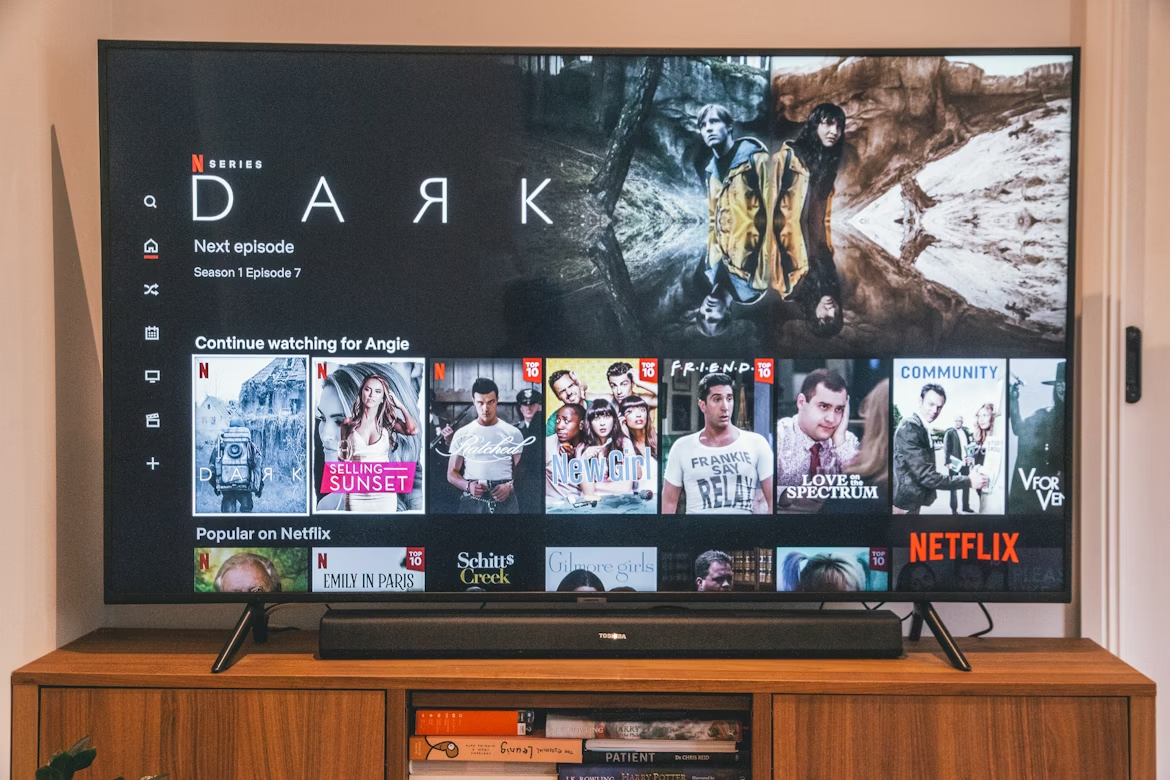
Let’s be honest – Netflix is not just entertainment for students. It’s study break therapy. It’s procrastination fuel. It’s social glue during dorm nights. And sometimes, it’s the thing playing in the background while you pretend to write an essay.
But most students use maybe 30% of what the platform can actually do. The rest? Hidden in settings you’ve never opened or features you didn’t know existed.
Before we dive in, a quick reality check. If you’ve ever postponed assignments because “just one more episode” turned into three, you’re not alone. Some students balance heavy weeks by using a essay writer services online during crunch time – not to skip learning, but to prevent burnout spirals. Entertainment is great. Stress overload isn’t.
Now let’s upgrade your streaming game with real, useful Netflix tips and tricks – not the recycled ones.
1. Download Smarter, Not Just More
Everyone downloads shows before a trip. Few people manage storage properly.
Inside the app, lower video quality for downloads you’ll watch on a small screen. It saves space without ruining the experience. This is one of those underrated Netflix tips that becomes essential during travel or exam-season commuting.
And yes – if you’ve ever wondered, Can I watch Netflix on a plane? Absolutely. Download episodes ahead of time, switch to airplane mode, and you’re good. Just don’t rely on airport Wi-Fi to save you at the gate.
2. Fix The “Netflix App Sucks” Feeling
Sometimes the algorithm feels broken. You search. You scroll. Nothing hits.
If you’re thinking Netflix app sucks, try this instead of rage-quitting:
- Clear your watch history
- Rate more titles intentionally
- Switch profiles for a reset
The algorithm reacts to your behavior. Train it.
3. Master Hidden Categories With Code Search
There are thousands of hidden genre codes. Instead of generic browsing, search niche categories like “Psychological Thrillers” or “Underdog Sports Films.”
These kinds of browsing shortcuts are real Netflix hacks because they bypass homepage clutter and get you exactly what you want.
4. Control Subtitles And Sound Like A Pro
Most people never touch Netflix audio settings. Big mistake.
Inside playback settings, you can:
- Adjust subtitle size and font
- Switch audio formats
- Enable audio descriptions
Students watching in dorms late at night often rely on subtitles to keep things quiet. Small tweaks improve the whole experience.
5. Change Language For Accidental Study Gains
Switching on Netflix dubbing in another language while keeping subtitles in English can subtly improve listening skills. It’s not a full language course, but it’s exposure. Casual immersion beats passive scrolling.
6. Know How To Exit Cleanly From Shared Devices
Logged in at a friend’s apartment? Using someone else’s TV?
Learn how to log out of Netflix on iPhone and remotely manage sessions from account settings. You can sign out of all devices at once if needed.
Nothing kills the vibe like someone hijacking your queue.
And yes – always log out of Netflix if you’re on public or shared devices.
7. Host Watch Parties Without Chaos
You don’t need to crowd around one laptop.
Learning how to screen share Netflix through supported platforms makes group streaming smoother. Pair it with headphones for remote movie nights during exam season.
These practical Netflix tricks are perfect for long-distance friendships or late-night dorm bonding.
8. Understand Your Account Limits

Students often stretch one Netflix account across roommates. It works – until it doesn’t.
Know how many devices can stream at once under your plan. Too many simultaneous streams? Someone’s getting kicked off mid-episode.
If you’re sharing Netflix account access, coordinate streaming times or upgrade the plan strategically. Communication prevents passive-aggressive texts.
9. Optimize For Laptop Users
Watching on laptops instead of TVs? Netflix for Mac and desktop browsers allow keyboard shortcuts:
- Spacebar to pause
- F for fullscreen
- Arrow keys for quick rewind
It sounds simple. It feels efficient.
10. Fix TV Confusion Instantly
Ever tried to log out of Netflix on TV and felt trapped in endless menus?
Go to “Get Help” → “Sign Out.” If that fails, use the remote logout option from your main account page online. Control stays with you.
11. Turn Netflix Into Study Motivation
Here’s an unconventional idea.
Create a “reward queue.” Only allow yourself to watch specific shows after completing defined tasks. These personal Netflix lifehacks turn streaming into a productivity trigger instead of a distraction.
For example:
- Finish 2 study blocks → 1 episode
- Submit assignment → movie night
Structure removes guilt.
12. Customize Profiles For Different Moods
Create separate profiles for:
- Casual rewatching
- Documentary deep dives
- Comedy-only stress relief
The algorithm becomes cleaner. Recommendations improve. And you avoid mixing serious content with comfort shows.
This is one of those subtle hacks where to watch becomes strategic instead of random.
13. Use Playback Speed Thoughtfully
While Netflix doesn’t widely advertise playback speed control as some platforms do, certain content benefits from slight adjustments – especially documentaries or lecture-style material.
Not everything needs cinematic pacing. Mark Bradford, who has commented on productivity trends within the essay writing service industry, often notes that students consume information more efficiently when they control delivery speed rather than passively accepting it.
The same idea applies here – adjusting pacing can turn long-form content into focused learning instead of background noise.
14. Reset Recommendations When Your Taste Changes
Your viewing taste evolves. Maybe you binged reality shows during finals. Now your homepage looks chaotic.
Delete specific titles from viewing history. Within days, recommendations recalibrate. It feels like a brand-new interface without opening a new account.
15. Plan Travel Viewing Ahead
Before long trips, think beyond downloads. Consider battery life. Bring headphones. Pack a charger.
The best travel-style Netflix hacks are about preparation, not panic streaming at 1% battery.
16. Use Netflix As A Social Shortcut
When meeting new classmates, shared shows become conversation starters. Knowing what’s trending or popular makes small talk easier.
Streaming isn’t just consumption. It’s cultural currency.
Final Thoughts: Stream Smarter, Not Longer
Students don’t need more content. They need better control over it.
The smartest approach to Netflix tips and tricks isn’t about bingeing harder. It’s about using features strategically:
- Download intentionally
- Customize audio
- Manage devices
- Structure rewards
- Protect your account
Entertainment should recharge you, not derail you.
And next time someone complains that Netflix is “just basic,” you’ll know there’s a whole layer of settings and features they haven’t touched yet.
Check Out Our Recent Blogs
- The Tech Edge for Modern Students: Why Future‑Proof Skills Matter
- Where to Find the Best Audio Cables for High Fidelity Sound in 2026
- 5 Technologies You Can Implement Now to Improve Student Life
- Like
- Digg
- Del
- Tumblr
- VKontakte
- Buffer
- Love
- Odnoklassniki
- Meneame
- Blogger
- Amazon
- Yahoo Mail
- Gmail
- AOL
- Newsvine
- HackerNews
- Evernote
- MySpace
- Mail.ru
- Viadeo
- Line
- Comments
- Yummly
- Send in Text
- Viber
- Telegram
- Subscribe
- Skype
- Messenger
- Kakao
- LiveJournal
- Yammer
- Edgar
- Fintel
- Mix
- Instapaper
- Copy Link